Overview
This article describes the process to find the current version of your Jive instance. It is a simple process that requires access to your instance's Admin Console.
Description
The current version of your Jive instance can be found in two places, both are within the Admin Console of your instance. In order to find the Jive version, please follow these steps:
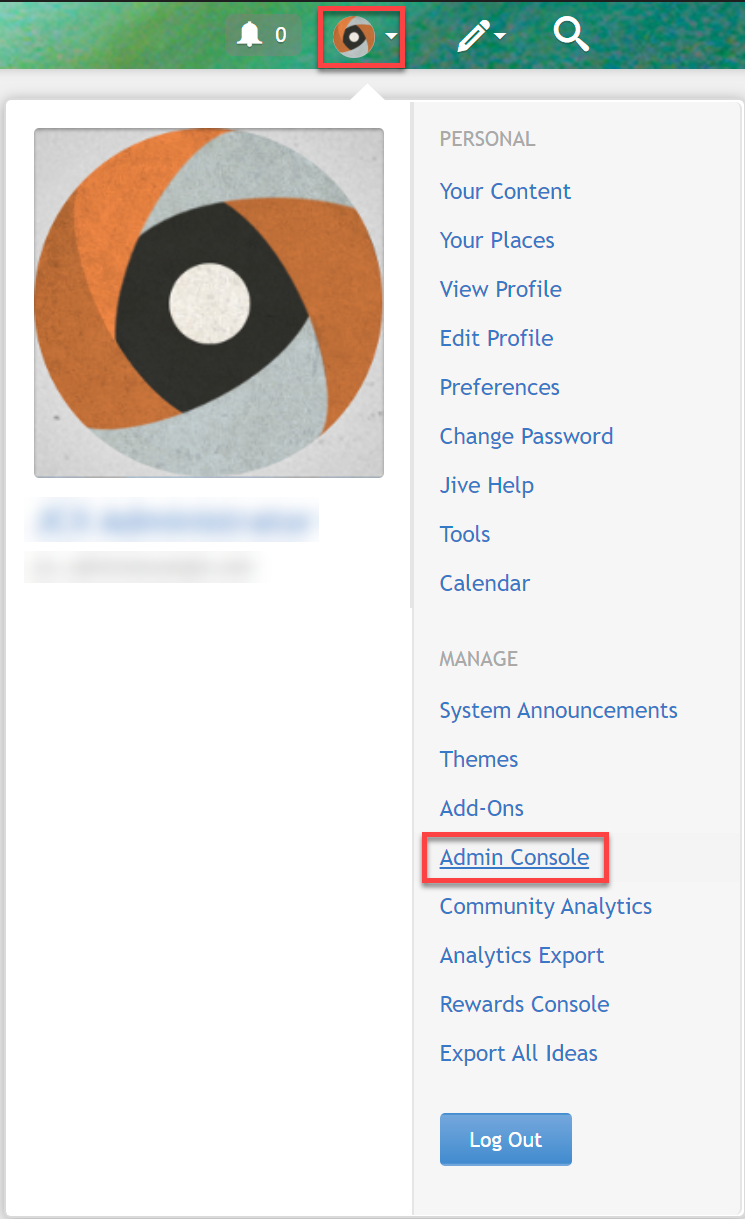
- Click on your avatar on the top right corner of the screen and select Admin Console.
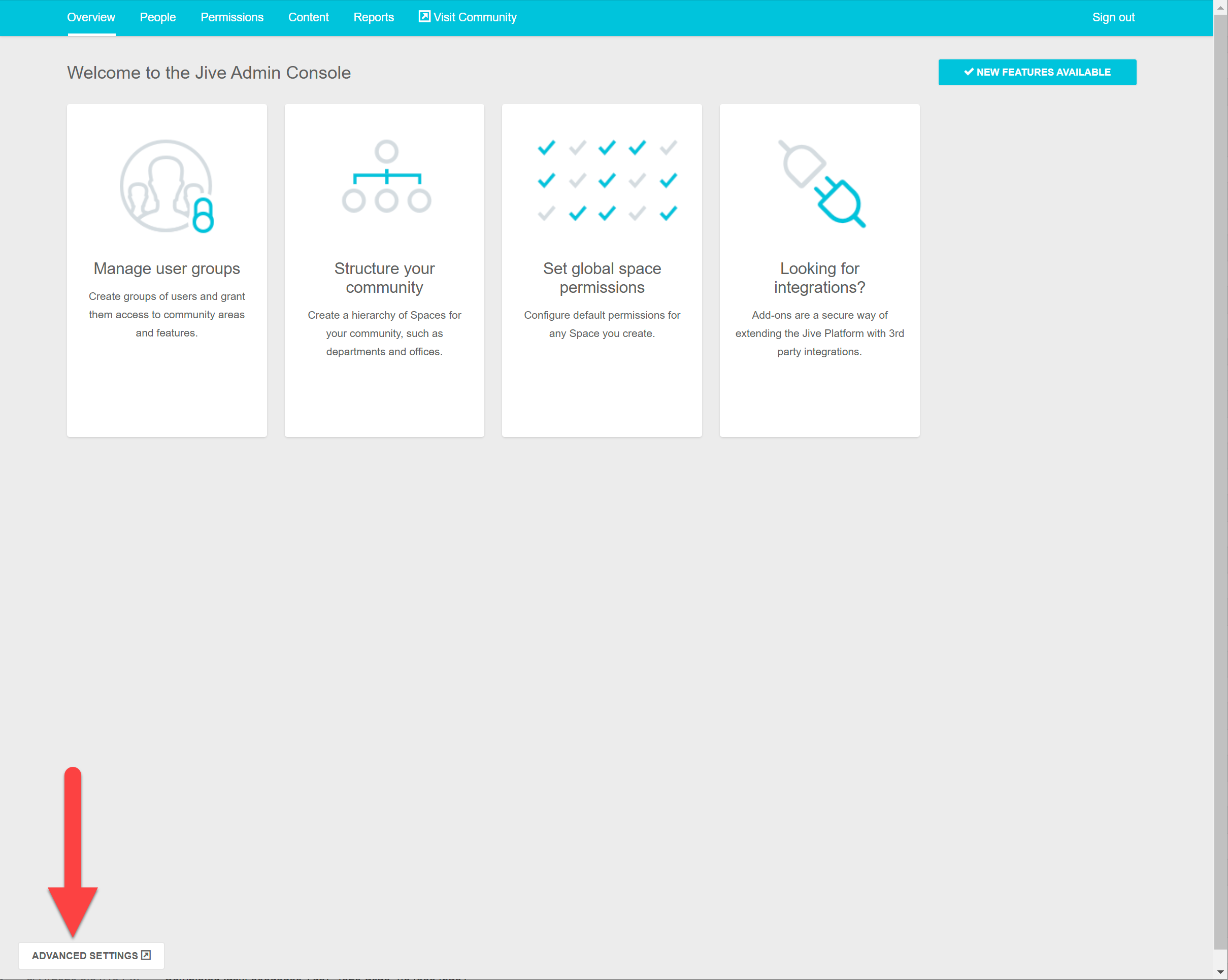
- Select Advanced Settings to switch to the regular Admin Console view.
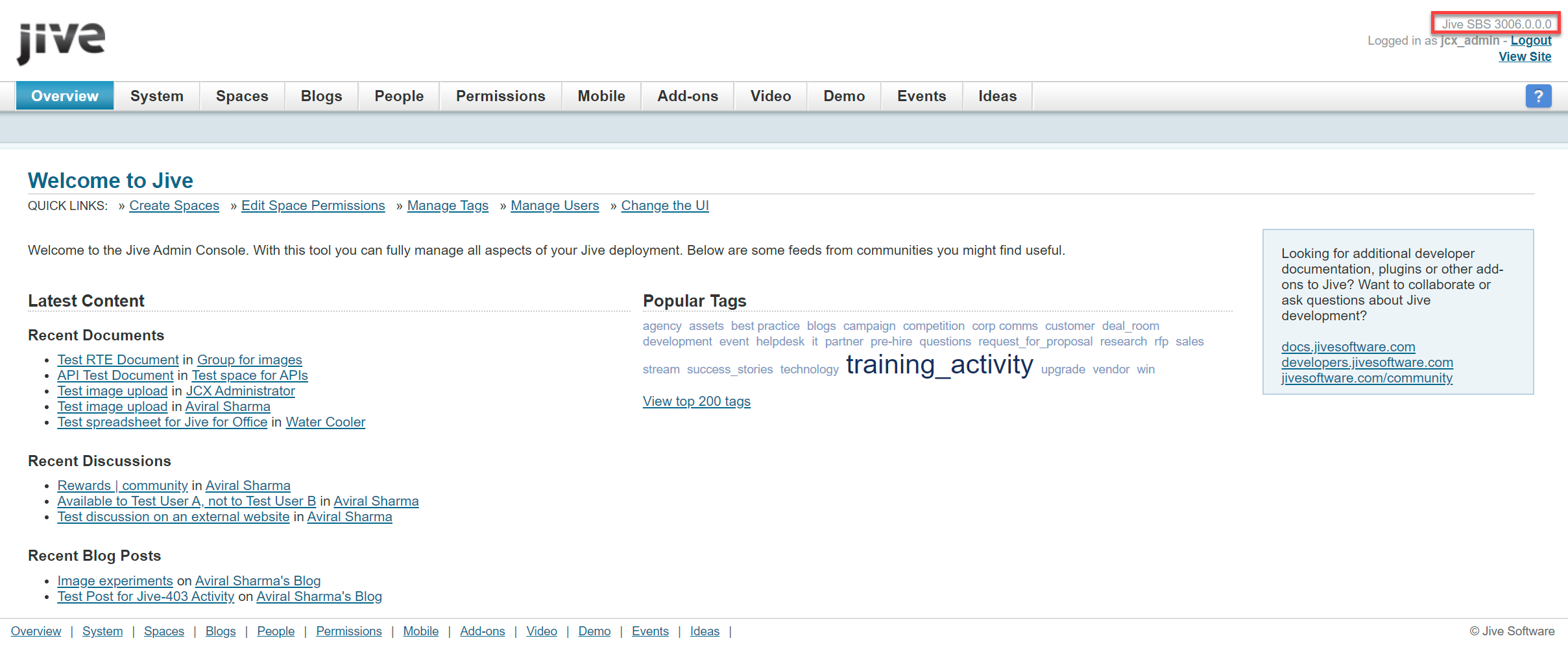
- You will see the current version of your Jive instance on the top right corner of the screen.
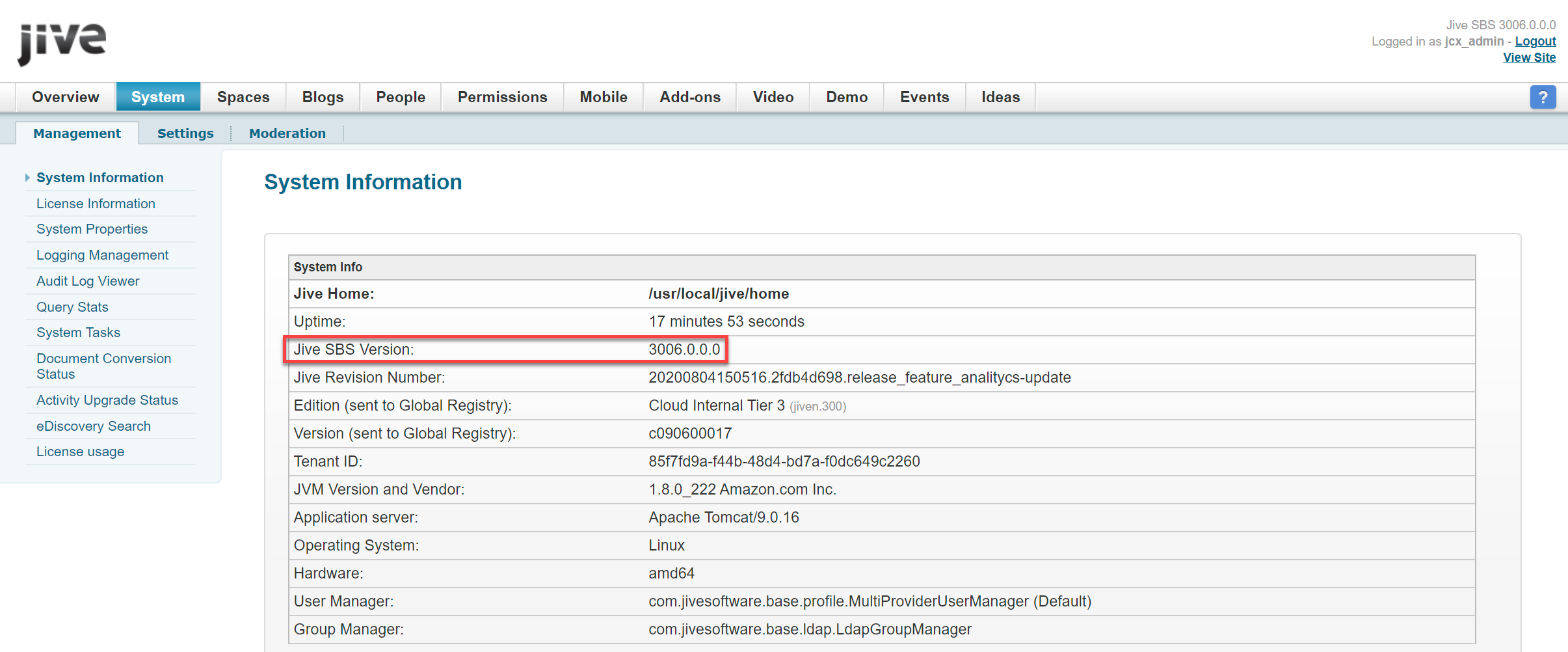
- You can also find the version number by navigating to the System tab. In the System Information section (automatically displayed), you will see the Jive version under the Jive SBS Version field.
Checking the Current Jive Release
After identifying your installed version, refer to the Jive Release Notes to compare it with the latest and currently supported Jive releases.
The release notes contain the current release version, release dates, supported versions, and any important release-specific information. The current release notes identify Jive 14.1.0 as the latest release.
Related Information
- Jive Release Notes — latest releases, supported versions, release dates, and release-specific information.
- Jive HOP – Past Releases
- Jive Cloud – Past Releases
Priyanka Bhotika
Comments