Overview
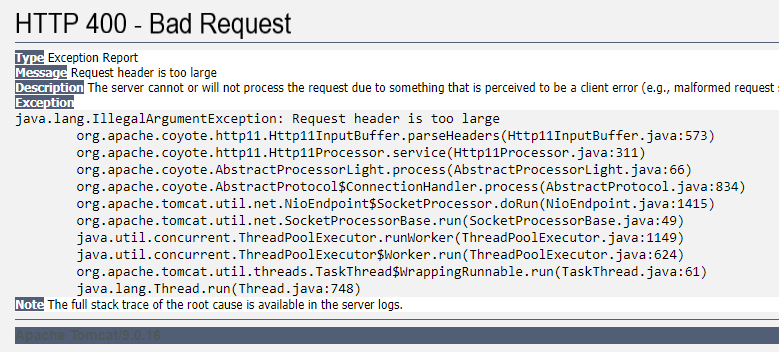
Some users can no longer access Jive. When they try to access the site, the error "HTTP Status 400 - Bad Request" appears, with a message of "Request header is too large":
Solution
This issue can be caused if your Single Sign-On (SSO) provider injects large cookies that cause the HTTP header to be too big to process. It has been observed that this issue is triggered when cookies make up over 60-70% of the total header size.
In order to resolve this issue, please contact your organization's local IT team to review the cookies that are being sent by your Single Sign-On (SSO) provider.
Testing
You should be able to access your Jive instance normally after reducing the request header's size by trimming, removing, or moving cookies as applicable for your environment.
Priyanka Bhotika
Comments